Category: digital history

  • Jumping into digital history with both feet

    No more fooling with theory and generalities. Its time to get started with your new web project. How better to learn?

    Off we go, then.

    We’ll start with a very simple, single-page project. We’ll get the development server up and running and use it to demonstrate how the XHTML, PHP, and database components work together, in more concrete terms. This will not, I hope, turn into an extended tutorial, there are plenty of those already out there, but this will give you a starting point for noodling around on your own.

    Step 1: Install the XAMPP package on your home PC

    Download the basic package – the 33 MB Installer [MD5] version. Ignore the Devel and Upgrade packages, and the Add-Ons. Do the full installation, and say “yes” to all the defaults. This will only take a few minutes. When finished, the following structure, very similar to that which you’ll use on your hosting service’s box, will be in place:
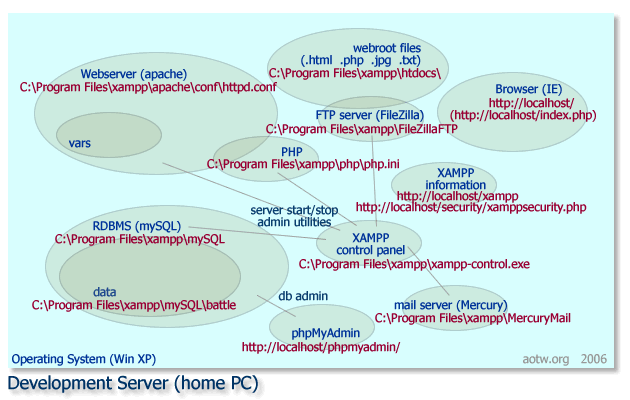
    map: the development server with XAMPP (smaller size) (more…)

  • PHP + database + webserver

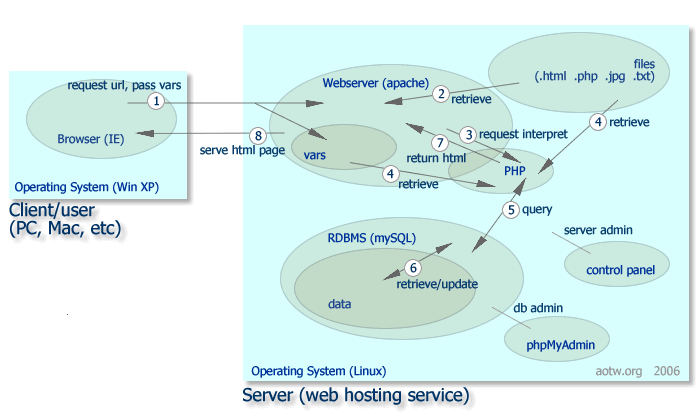
    In a previous post I talked about how an aspiring digital historian might learn some fundamental software technologies applicable to building a dynamic website. Today I’ll try to better explain how those work together to produce web pages.

    In the simplest kind of website, a person using a browser requests an HTML page by clicking a link or typing a URL. The browser then sends that request across the great wide internet to a webserver–a specialized kind of software program living on a network server. The webserver finds the requested HTML file on it’s filesystem and returns it to the requesting browser. The browser interprets the HTML and displays the resulting page on the user’s screen.

    Antietam on the Web (AotW), and many other sites, however, need more sophisticated functions than can be provided by plain old HTML. In our case we’ve chosen a combination of tools including PHP and a mySQL database to help get the job done.

    PHP+database+webserver flowchart_small (more…)

  • New Antietam virtual tour online

    You probably already know Jenny Goellnitz from her Civil War work on the web, notably on the Wheatfield at Gettysburg, troops of Ohio at Gettysburg, Federal Colonel Strong Vincent, and Confederate surgeon Hunter McGuire. Her magnum opus is And Then A.P. Hill Came Up, the premier internet source on the Confederate General.

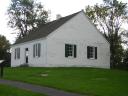
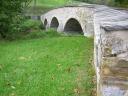
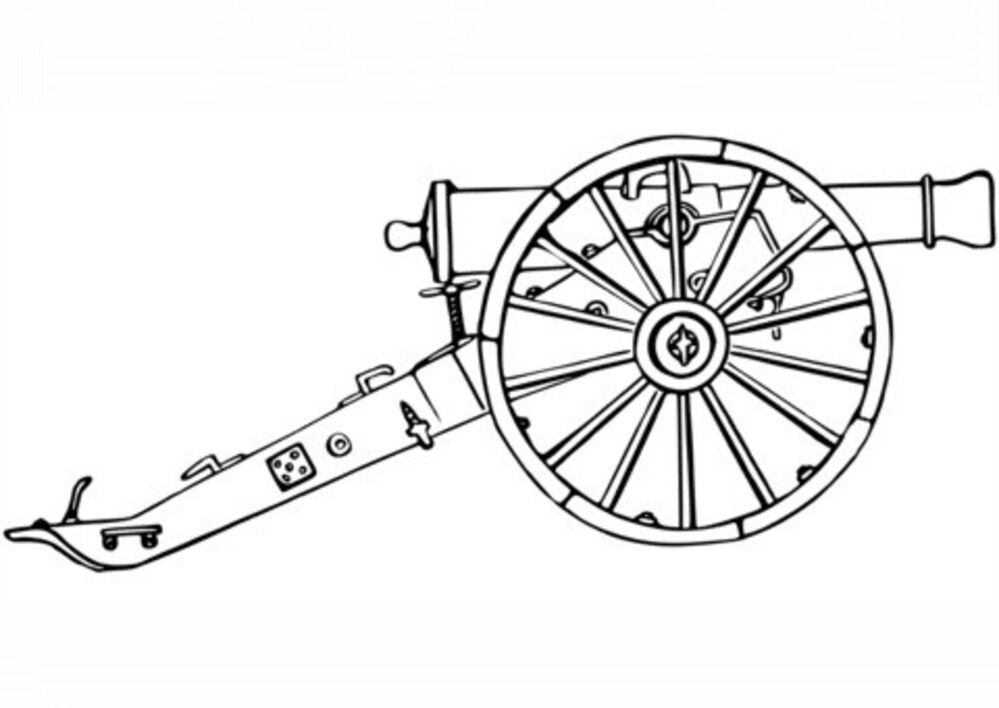
    Dunker Church at Sharpsburg (J. Goellnitz photo)Goellnitz photo: Burnside BridgeGoellnitz photo: Guns at Antietam
    Goellnitz photos: Dunker Church, Burnside Bridge, Guns at Sharpsburg

    Jenny recently returned from a trip to Sharpsburg and added an excellent virtual tour of the battlefield to the A.P. Hill site. Take a look; she’s done a fine overview of the field and the day, with pieces of the Park’s driving tour map and some very nice photographs of her own in accompaniment.

  • Tools for putting history online

    I’ve been having conversations with someone who wants to put masses of historical information on the web. He’s passionate about the material, but has no experience with web technology. and doesn’t have an IT shop or a CHNM or other academic resources available. He has a late-model Windows PC at home, and is pretty good in Word.

    The structure I use for AotW and recommend for similar projects is built with open source (i.e., free) parts including an apache webserver running on linux, a mySQL database, a little XHTML, and a set of PHP scripts and templates. These are widely used, readily available, and trustworthy tools for this kind of work.

    the dummy

    Warning: there’s no getting around it. You will need to learn some basic programming to build such a site, but it shouldn’t be too frightening. This stuff is pretty easy. 10 years ago I was a webnoob, too. If I can do it …

    In this first installment*, I identify some basic web technologies you’ll need to learn, and point to some resources. (more…)

  • Turkel/Quiroga history blog survey

    I received this as a comment to another post, but thought I’d repackage here in case you don’t catch it elsewhere. If you are a blogger, please give the courtesy of your undivided attention:

    October / 2006

    We are interested in learning more about history blogs and in finding ways to promote them. To aid in this effort, we are circulating a small questionnaire and will make the results available in Tapera (in Spanish) and in Digital History Hacks (in English). If you wish to participate, please return the questionnaire to tapera@tapera.info
    Thank you very much.

    William Turkel – Digital History Hacks – http://digitalhistoryhacks.blogspot.com/
    Nicolás Quiroga “ Tapera “ http://tapera.info

    Blog:
    URL:
    Authors:
    First post (mm/dd/Y):

    Questions:
    1. Which history-related blogs do you visit most frequently? (1-5)
    2. What factors do you think are involved in your choice of blogs to read? (For example: quality of information, writing, institution, author profile, rankings, entertainment value¦)
    3. What factors characterize your own blog? Which are most important?
    4. Have you changed the objectives of your blog since you created it?